
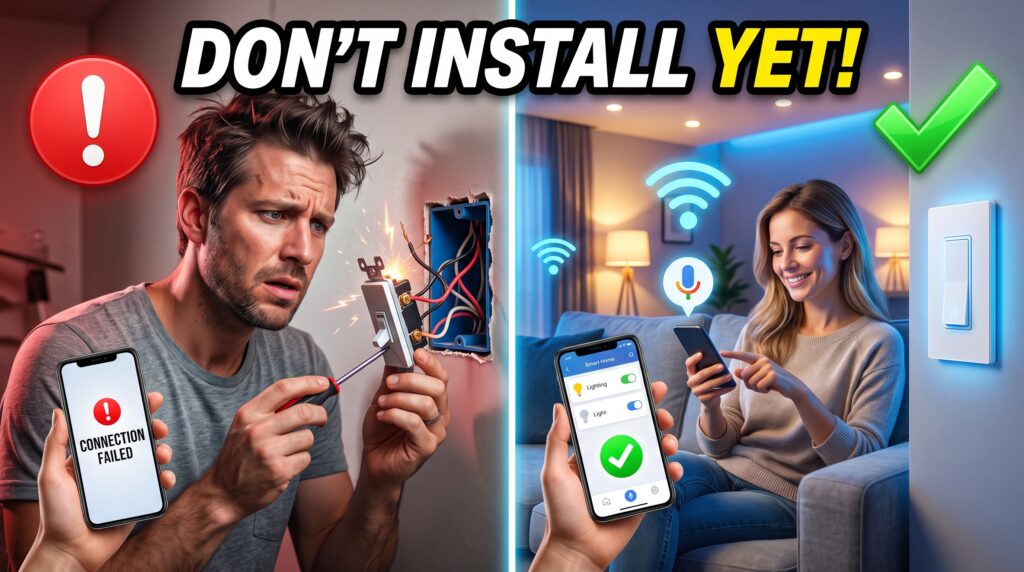
Before Installing Smart Switches, Read This Guide
Smart home technology is growing in popularity these days and one of the first components to upgrade in a home is the smart switch. It sounds great: use your phone to control your lights, set automatic timings, save energy and even use voice commands with the help of smart assistants such as Alexa or Google. The number of convenience features makes smart switches a hot topic.
But a lot of individuals enter the installation without a proper understanding of how smart switches operate. Hence, they might face complications like connectivity glitches, compatibility concerns, or wiring problems. In a few instances, people buy smart switches just to find out that their home’s electrical system is not wired-up to support them, making the installation more complicated than they anticipated.
A frequent error is selecting an appliance that is incompatible with the smart home system or the home’s Wi-Fi network. These mistakes can cause additional costs, substandard performance and not being satisfied with the upgrade.
Fortunately, many of these issues can be prevented by doing some research and planning. There are a number of requirements, compatibility and installation considerations before investing in smart switches for your home. This will help you avoid expensive pitfalls and receive the convenience, energy savings, and smart home function you’re looking for.
- Why People Install Smart Switches
People installed smart switches in their homes for the following reasons: These are the reasons most homeowners opt for smart switches:
- Mobile app control
- Smart Assistant: Voice Control
- Automated lighting schedules
- Improved convenience
- Potential energy savings
- Added home security when not home.
These benefits are genuine but rely on the selection of the appropriate smart switch for your house’s electric system.
- Important Things to Consider Before Installing Smart Switches
- Check Whether You Have a Neutral Wire
Smart switches need a neutral wire to operate. If the house is older, it may not have one in each switch box.
Wiring compatibility should be checked before installing a smart switch as it may result in failure.
Recommended Products:
- TP-Link Kasa Smart Switch
- Lutron Caséta Smart Switch
- GE Cync Smart Switch
- Choose the Right Smart Home Ecosystem
Not all smart switches work with each stage.
Common ecosystems include:
- Amazon Alexa
- Google Home
- Apple HomeKit
- Samsung SmartThings
If you don’t buy a switch compatible with your desired ecosystem, you may have reduced functionality.
Recommended Products:
- Lutron Caséta (excellent ecosystem support)
- TP-Link Kasa Smart Switch
- Meross Smart Switch
- Consider Wi-Fi Reliability
Smart switches need a trustworthy Internet linking.
Problematic areas with squat Wi-Fi coverage can cause smart devices to become unresponsive or undependable.
Low connectivity clues to slow command response times and automation disappointments.
Recommended Products:
- TP-Link Deco Mesh Wi-Fi System
- Eero Mesh Wi-Fi Router
- NETGEAR Orbi Mesh System
- Dimming Compatibility Matters
Use dimmable lights if necessary; ensure the smart switch has dimming capabilities.
Not all smart switches can be used to adjust lighting intensity.
Don’t mix the types of dimmers with bulbs or they can flicker or burn out more quickly.
Recommended Products:
- Lutron Caséta Dimmer Switch
- Kasa Smart Dimmer Switch
- Leviton Decora Smart Dimmer
- Think About Future Expansion
Many homeowners begin with just one room, then add on to the house.
Selecting a scalable system can save money in the long run.
Do not mix brands – it creates unnecessary complexity.
Recommended Products:
- Lutron Caséta Starter Kit
- Kasa Smart Home Bundle
- SmartThings Hub
- Common Mistakes People Make
- The purchase of smart switches without verifying wiring needs.
- Neutral wire compatibility is an issue that’s often overlooked.
- What they truly need to avoid is picking products that don’t integrate with the existing smart assistants.
- Using smart dimmers with non-dimmable bulbs
- Access to weak Wi-Fi networks by smart home devices. Access to weak Wi-Fi networks for smart home devices.
- Using a variety of brands and systems for a smart home. Having several different smart home brands and ecosystems.
- Trying to perform electrical tasks without fundamental safety skills
- Solutions Before You Buy
Before buying a smart switch, take the following steps:
Step 1
Check your switch box for an impartial wire.
Step 2
Adopt which smart home stage you want to use.
Step 3
Experiment Wi-Fi coverage throughout your home.
Step 4
Regulate whether you requirement is standard switches or dimmers.
Step 5
Twitch with one or two switches before progression of the entire house.
- Best Smart Switch Products You Can Consider
Here are some prevalent smart switch selections homeowners normally choose:
TP-Link Kasa Smart Switch
Best Overall
Pros:
- Easy fitting
- Consistent app
- Affordable pricing
Cons:
- Most mockups require a neutral wire
Lutron Caséta Smart Switch
Best Premium Option
Pros:
- Extremely reliable
- Excellent smart home integration
- Some models work without a neutral wire
Cons:
- Higher upfront cost
Meross Smart Switch
Best Budget-Friendly Option
Pros:
- Affordable
- Supports major voice assistants
Cons:
- Fewer advanced automation features
Leviton Decora Smart Switch
Best for Advanced Users
Pros:
- Professional-grade eminence
- Strong customization choices
Cons:
- More complex setup
- Final Recommendation
When looking at the possibilities of smart switches, it would be advisable to avoid replacing all the switches in your living space, while thinking about renovation. Taking the gradual approach helps you to find out if there are any chances of incompatibility and whether the technology will match your expectations before investing more.
The first thing to do is to inspect the wiring that is already in place at your home, particularly determining whether the switch boxes have a neutral wire, as many smart switches do. Now select one smart home ecosystem (Alexa, Google Home, or Apple HomeKit) to prevent connectivity and integration issues later on. After this, add a few of the smart switches to common rooms like the living room or hallway and switch them on and off for the first few weeks. Consider reliability, how the app works, voice control responsiveness and ease of use.
The TP-Link Kasa Smart Switch is a great option for smart lighting control in a budget-friendly and easy-to-use manner, especially for beginners. For those seeking the highest level of reliability, the most sophisticated automation and future growth potential, Lutron Caséta Smart Switch is generally considered one of the top choices.
The initial small-scale installation is an excellent way to avoid expensive trials, understand how smart switches fit into your daily life and create a smarter, more efficient home in stages.